Monday, 23 September 2013

9 million iPhone 5s and 5c units sold in first week

Apple sells 9 million iPhone 5s and 5c units in first weekend

Apple prides itself on its opening weekend sales each year and there's always that word record somewhere to be found. This year Apple boasts 9 million sold iPhone 5s and iPhone 5c units in the first weekend.
Apple didn't provide specifics on which iPhone sold how many, but the two new iPhones combined for a significantly larger win over last year's 5 million iPhone 5 units opening weekend.


Also iOS 7 is now running on more than 200 million devices, making it one of the fastest updates in history. The updated OS launched just two days before the new iPhones.
Apple is reporting low supply for the new iPhone 5s flagship, with many online orders expecting to be shipped in the coming weeks.
Be sure to check back with us soon for a detailed look at the iPhone 5s and 5c.

Sunday, 22 September 2013

HP unveils five new tablets

HP has introduced five different tablets- Slate 7 Extreme, Slate 7 HD, Slate 8 Pro, Slate 10 HD and Omni 10 for the masses. These tablets are expected to hit the US markets in November.
HP did make a surprising return to the Android based tablet segment with the HP Slate last year. Despite luke-warm reception to HP Slate, HP seems to have not lost the zest and has now introduced five new tablets - Slate 7 Extreme, Slate 7 HD, Slate 8 Pro and Slate 10 HD. The fifth tablet, called Omni 10, is based on Windows 8.1 operating system. These tablets are expected to be made available in the USA market in November this year.
HP unveils five new tabs

The HP Slate 7 Extreme has a 7-inch display and comes packed with the recently announced quad-core Nvidia Tegra 4 processor. It has PureAudio technology which claims to provide crystal clear audio. The tablet's front facing speakers promise true surround sound experience and it comes with a dedicated bass-reflex port speaker.

The HP Slate 7 HD is the successor model of the Slate 7. It packs a 7-inch 1280x800 IPS display and is powered by a Marvel PXA986 processor. Running Android OS, this tablet promises to offer 9 hours of battery life and has Beats Audio integration. HP will offer this tablet in 3G and 4G supporting models as well.
HP unveils five new tabs

HP Slate 8 Pro is yet another 8-inch display bearing tablet with 1600x1200 pixel resolution. This tablet is powered by quad-core Nvidia Tegra 4 mobile chip to run the Android smoothly. At its rear lies an 8 megapixel camera while in its front there is a 2 megapixel camera. This tablet will also feature micro HDMI output and will compete with the likes of Apple iPad Mini. HP promises HD video playback and HDR imaging on this tablet.
HP unveils five new tabs

HP Slate 10 HD is the 10-inch display bearing large screen tablet running Android mobile operating system. It features 1280x800 pixel resolution and is powered by a Marvell processor. There is Beats Audio integration and there are cameras in the front as well as the rear of this tablet.
HP unveils five new tabs

Finally, the Omni 10 tablet which is powered by the latest Intel Atom Z3000 series "Bay Trail” mobile processor. This tablet runs on Windows 8.1 and promise superfast performance with its 2 GB RAM. By default, this tablet will feature 128 GB Solid State Drive storage and an 8 megapixel camera at the back.
Most of these tablets will feature micro SD card slot and HP will load stock like Android experience on the Android tablets. As of now, HP has not announced the availability and pricing of this tablet for other regions.

MapmyIndia for Android, Windows apps to provide rear time traffic info

MapmyIndia, which provides mapping solution and is based in India, today announced the launch of its real time traffic services on the free MapmyIndia App on Windows Phone, Windows 8 for tablets / PCs and Android platforms. Users can activate the service by updating the map application on their respective phones. Available to users across the country, the service claims to deliver accurate, comprehensive and real-time traffic information. The updated app will allow users to look at traffic situation in real time and plan routes accordingly.


MapmyIndia will aggregate this data from a vast variety of sources, including an extensive network of probe data on ground. It also has tie-ups with various government agencies for real time events/incidents based data.
Rakesh Verma, managing director, MapmyIndia said, "Location is at the heart of everything we aim to do in MapmyIndia. Through the use of location-based technologies, MapmyIndia has been empowering consumers, enterprises and Governments in India, increasing productivity in the process. It's our constant endeavor to introduce new features such as live traffic updates on your phones, which will benefit Indian consumers tremendously as it has done for consumers in rest of the world."
Joseph Landes, general manager- developer and platform evangelism, Microsoft Corporation (India), said, "There is tremendous usability for intelligent apps that leverage location based services. We are excited to add real time traffic update capability to the MapmyIndia app for Windows 8 and Windows Phone devices."

Apple iOS 7 update available for download

Apple releases the iOS 7 update for supported devices and leads to network choking at several places and activation server issues.
Apple iOS 7 update available for download
Apple has formally released the much awaited iOS 7 software update for the supported devices. As soon as the update was made live, millions of users got busy in downloading the update which caused 92 per cent spike in usage of the Apple servers. Apple Download and Activation servers were hammered with the download and activation requests. Anyway, you can download the new iOS 7 software update over the air via WiFi connection or using iTunes 11.1 software on PC or Mac.
Apple has released the iOS 7 software update for the iPhone, iPod Touch and iPad products. The supported list of products include iPhone 5, iPod touch 5th Generation, iPad Retina, iPad Mini, iPhone 4S, iPhone 4, iPad 3 and iPad 2. Of course, some features will not be available to older devices.
Here are couples of things required to follow before you begin downloading the iOS 7 update to your device. Ensure that you have taken full backup of the data, apps and other multimedia files on your device by simply syncing it with iTunes on PC or Mac. The iOS 7 Software Update requires minimum 3.1 GB Free space on the iOS device to download and successful installation.
Of course, good Internet connectivity is absolutely necessary to download the iOS 7 software update over WiFi or using iTunes. Apple has also released the iOS 7.0.1 software update for the iPhone 5c and iPhone 5s models.

Samsung Galaxy Note 3 to Arrive in Singapore on September 28

Samsung Galaxy Note 3

South Korean mobile phone maker Samsung has officially confirmed plans to make the Galaxy Note 3 smartphone available for purchase on the market in Singapore starting with September 28. 
The company also announced that its new high-end smartphone will arrive on shelves with a Recommended Retail Price (RRP) of S$1,048 (USD$837 / €320). It will be accompanied by Galaxy Gear. 
The smartphone will be sold contract-free and will be available in two different color flavors, namely Jet Black and Classic White, as 
SamMobile notes. 

Furthermore, the handset vendor confirmed that users who pre-ordered the device through the Samsung Experience Store earlier will be able to pick up their units one day before the official release, on September 27. 

Galaxy Note 3 was announced on September 4 with a 5.7-inch full HD screen, a quad-core Snapdragon 800 processor inside, and 3GB of RAM. It also features a 13-megapixel camera on the back, and front camera for video calling.
iphone-5s-a7-64-bit-lg.3


The iPhone 5S runs on Apple’s A7 chip, the world’s first 64-bit processor. Every other phone has a 32-bit chip inside it. That makes the iPhone 5S twice as fast and great as everything else, right? Double the bits, double the fun? Well, not exactly. The answer, of course, is little complicated. Apple’s decision to go 64-bit with the iPhone 5S does deliver real world benefits today – but it’s also about setting the stage for the future. Here’s why Apple has made a smart investment, and how it affects you.

What’s so special about 64 bits?
If moving from a 32-bit to 64-bit architecture seems like a history repeating itself, you’re right. Both desktop computing and game consoles have gone through similar transitions, with mainstream traditional computers going fully 64-bit in the last few years and game consoles hitting it in the late 1990s.

There are three benefits to a 64-bit system:

  • You can have more than 4GB of RAM

  • Faster speeds, better performance

  • Advanced features

RAM: One pressing reason traditional computers moved to 64 bit was to use more RAM (Random Access Memory) – that fast workspace memory that’s separate from disks, flash, and other long-term storage. Basically, a 32-bit number can handle up to 4 gigabytes (GB) of RAM – and this limit also impacts handling very large files, like movies and raw video. Back in the 1980s when 32-bit processors became a standard, a 4GB ceiling seemed tremendously forward-thinking, but by the mid-2000s desktop power users needed more. Chipmakers came up with workarounds to let 32-bit systems handle more memory, but also made the transition. These days, computers are mostly 64-bit – and come with at least 4GB of RAM. A 64-bit processor does not double RAM capability compared to 32-bit systems: it multiplies it by 2³² to a theoretical maximum of 16 exabytes. An exabyte is a billion gigabytes, so, again, the limits seem tremendously forward-thinking.

iPhone 5S Announcement

Speed: Oddly, A 64-bit chip won’t necessarily out-perform a 32-bit chip. Since 64-bit systems use twice as much data for many low-level operations (shuffling 64 bits instead of 32 just to read a number, for instance), they need more memory and can even be slower than equivalent 32-bit systems. Something like this actually happened a decade ago with Apple’s first 64-bit Macs. These days, 64-bit chips are a lot better. Newer 64-bit devices almost always have real-world performance improvements over 32-bit.

Fancy features: Every chipmaker packs in fancy features to distinguish their products from everyone else’s. For instance, Intel’s Sandy Bridge and Ivy Bridge processors have built-in support for encryption as well as for encoding and decoding video. Apple’s A7 chip is based on the ARMv8 architecture, which is not only backward compatible with previous 32-bit applications (meaning, every iOS app written before the iPhone 5S) but it also offers built-in encryption and TrustZone, a security model that allows for two virtual processors. Trustzone creates a “normal world” for your regular phone activities, and a separate “secure world” that’s encrypted on the processor, making it difficult to attack data stored there, even if you have possession of the device.

How does 64-bit help Apple?
Here’s how going 64-bit makes sense for the iPhone 5S, and for Apple’s mobile devices going forward.

Memory: Mobile devices aren’t facing the 4GB barrier yet. (Game consoles weren’t either: the Playstation 4 and Xbox One will be the first to ship with more than 4GB of memory.) The Samsung Galaxy Note 3 currently has the most RAM in a mobile device, packing in 3GB pretty much just so Samsung can show off. In comparison, the iPhone 5 – along with the new iPhone 5C and iPhone 5S – sport only 1GB of RAM. The iPhone 4 and 4s have 512MB. One reason for that is that RAM has to be on all the time, consuming precious battery power. Right now, Apple does not need a 64-bit chip to handle memory.

However, the iPhone and iPad may reach or surpass the 4GB threshold in the next two or three years. If so, developers will have been building 64-bit iOS software for years by the time iPads, iPhones, and any other iDevices have require a 64-bit architecture. That’s a good way to ensure a seamless transition for customers.

Speed: The iPhone 5S does get performance benefits from going 64-bit. Early results from iPhone 5S review units tested with Primate Labs’ Geekbench tool for measuring processor performance show:
  • The iPhone 5S 64-bit mode outperformed 32-bit mode by up to 25 percent. That means most apps will get a free performance boost just for recompiling to 64-bit.

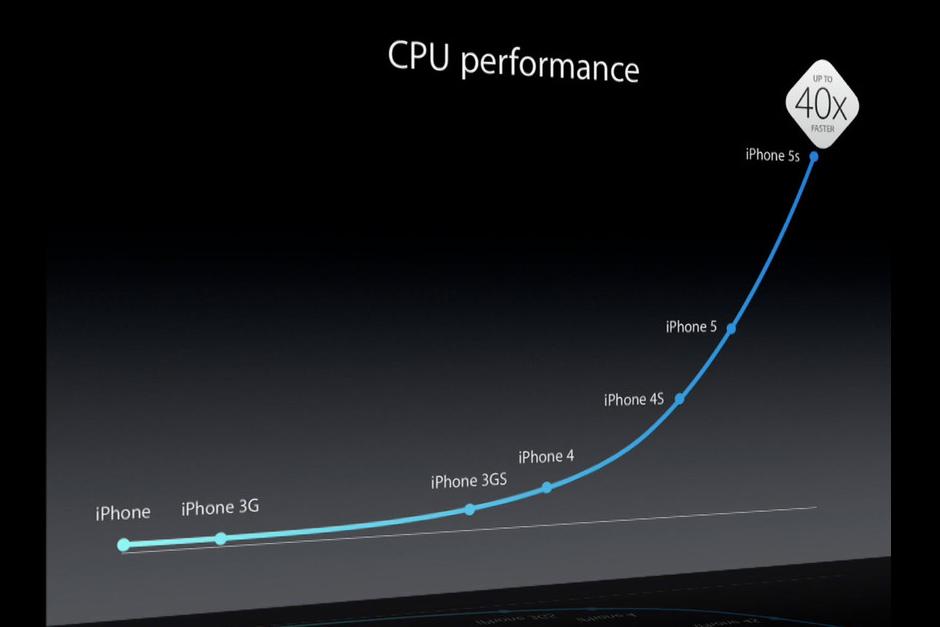
  • The iPhone 5S processor is about twice as fast as the iPhone 5 in everything but memory access (that’s 1.4x faster).The iPhone 5S about 25 percent faster than the iPhone 5 for everyday Web browsing (some Javascript tests are twice as fast as 5). 

“Converting to 64-bit offers a performance improvement on the order of 10 to 20 percent,” said Kevin Krewell, senior editor of Microprocessor Report. ”The part that isn’t separable is that we have a new chip in the A7, and the A7 is much faster than the A6. Just the architecture of the chip has much better performance, in and above the change to 64-bit.”

iPhone 5S CPU Performance

The 64-bit A7 isn’t just a marketing stunt. It delivers real performance benefits for apps right now. Apple builds further on those benefits by converting all of iOS 7 to 64-bit for the iPhone 5S – and for any future 64-bit devices (cough iPad 5 cough) that come along. That means iOS 7 – along with core apps like Safari, Mail, Photos, Maps, and Siri – all wring the most benefits from 64-bit performance, and some of those components improve performance for third-party apps as well.

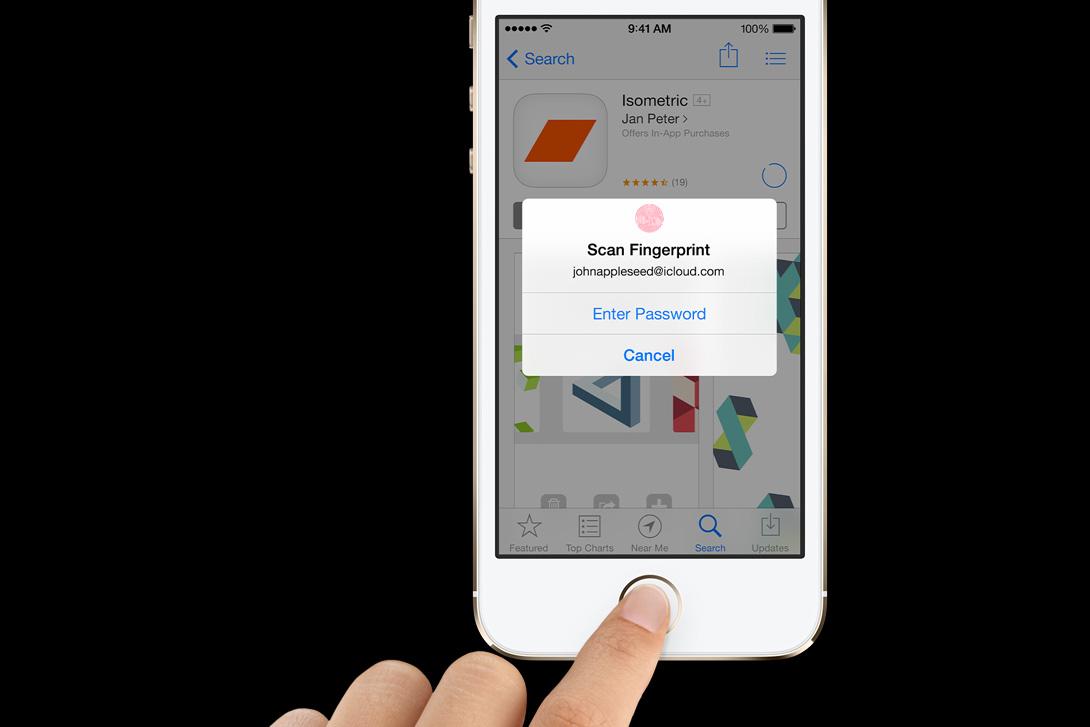
Fancy Features: The 64-bit architecture used in the A7 makes Apple’s new Touch ID fingerprint scanning technology possible, thanks to its encrypted on-chip security. Sure, a few smartphones have offered fingerprint readers (like the Motorola Atrix 4G) but no one has pushed the technology to the level Apple’s trying to achieve. Touch ID not only has a sophisticated biometric sensor, but Apple is integrating (optional) biometric security deep into its processor. That’s unprecedented. It also means Touch ID will never be available for 32-bit iOS devices – it’s a high-profile, front-and-center feature that’s 64-bit only. Assuming Touch ID survives countless attacks (from both security experts and hackers) and everyday users embrace it (early reviews are promising), expect the tech behind it, called Secure Enclave, to become central to the iOS experience. Coming next: Passbook and mobile payments.

What will 64 bits bring us next?
There are a lot of benefits to 64-bit processors. When we need more memory, we’ll have it. The traditional example of a memory-hungry apps is always intensive games like Infinity Blade, but video is another. Photographers and filmmakers are already using tablets to take preliminary passes on raw footage before loading them into full-fledged desktop video editors.

If Touch ID and Secure Enclave succeed, expect Apple or third party developers to build on them. Apple could extend Touch ID to things like parental controls and require authentication to access specific apps (like Mail) or data (like your Photo Stream). Eventually third parties will be able to use Touch ID: the Amazon app could require authentication before letting an order go through, or banks’ mobile apps could require a fingerprint before authorizing a transfer or payment. Apple could also extend Secure Enclave to encompass more than fingerprint hashes or payment info.

iPhone 5S Touch ID

Going 64-bit also offers more computing power, so apps that do serious number crunching can benefit strongly from the new architecture. Examples could include real-time music and video applications, such as software synthesizers, recording and mixing apps, ear trainers (great for learning an instrument), video editors, and apps that process and apply effects to audio, images, and video in real time. Another potential benefit is virtualization: although Apple is unlikely to allow (say) iPad users to boot a separate Android VM within iOS, virtual technologies could make it possible to create a separate sandbox for untrusted apps – so maybe you could use that new social app without fear of it rummaging through your contacts, email, or IMs. Developers should also have an easier time sharing code between iOS and OS X.

Although the A7 is Apple-only, it’s based on architecture by ARM, which is licensed to many chipmakers (all phones use ARM chips). Other 64-bit chips based on the ARMv8 architecture will come to Android in the next year to 18 months, complete with built-in encryption and TrustZone. If Apple’s Touch ID succeeds, other chipmakers will build authentication and mobile commerce solutions – they might even define an industry standard and leave Apple behind. And there’s no reason authentication technology has to be limited to fingerprints: that’s just the sensor Apple liked. TrustZone and integrated encryption can secure data from voiceprints or facial recognition. It can also be used for credit card processing and mobile payments, or to securely access to other technologies like NFC or Bluetooth, perhaps to use a smartphone as a wireless key.
No matter what comes next, it’s exciting to see Apple embracing what will soon become a new standard for processors.



android-4.4-kitkat-1-big.jpg

It looks like Android's latest iteration will see the light of day in October, as Nestle has revealed the first news about the launch of Android 4.4 KitKat on Facebook.
While replying to a user who asked "When Android 4.4 KitKat will be available", Nestle's German KitKat Facebook handle replied "Android 4.4 KitKat is available from October" (Google translation).
While this might not be an official confirmation about Android 4.4 KitKat's release, at least the German Nestle Facebook handle was kind enough to confirm that it is coming next month.
Earlier this month, the search engine giant which has been known for nicknaming its Android mobile operating systems for smartphones and tablets after desserts, had for the first time announced a candy brand name for the version 4.4. However, Google made no mention of when the Android 4.4 update would rollout.
The search giant has been in news ever since it announced the next iteration of its mobile operating system, with the Nexus 4 successor, which is expected to be the platform lead device for Android 4.4 jelly, making multiple appearances on the Internet via FCC filing and image leaks.
In the official promotional video of the KitKat announcement   released by Google, a person was seen holding up a phone which came with a Nexus logo at the back, very identical to the Nexus 7 (2013). The back of the mysterious phone had a matte finish and included a large camera lens which has not been seen on any Nexus device, yet.
Recently, the alleged Nexus 4 successor was again spotted in new live images and a video. The purported pre-production unit of the next Nexus smartphone revealed the front and rear panels. It is rumoured that the next Nexus smartphone would run Android 4.4 KitKat OS and both are expected to be launched at the same event.

VERSION 1.0 OF UBUNTU TOUCH FOR MOBILE

Version 1.0 of Ubuntu Touch for mobile will be ready for download on October 17

Ubuntu Edge Homsescreen

The first public version of Ubuntu Touch, the mobile operating system from Canonical, will be ready to download on October 17 according to the company’s Quality Assurance Community Coordinator, Nicholas Skaggs. The news comes from a blog post written by Skaggs saying, “We are exactly one month away from the release of Saucy Salamander.” The article was published on September 17, and Saucy Salamander is the codename for Ubuntu’s next version of its desktop software. Skaggs continues to say, “As part of that release, Ubuntu is committed to delivering an image of Ubuntu Touch, ready to install on supported devices.”


Version 1.0 of Ubuntu Touch will be compatible with Google’s most recent Nexus phones, which means if you own a Galaxy Nexus, Nexus 4, Nexus 7, or Nexus 10, you’ll be able to install the software if you like the idea of giving it a try. In the meantime, the race is on to rid the OS of any last bugs before the software is released.

While Ubuntu Touch may be out next month, at this stage it doesn’t look like it’ll be accompanied by a dedicated phone, like rivals Jolla’s Sailfish OS and Mozilla’s Firefox OS. Canonical had a go at financing a super phone running Ubuntu Touch, called the Edge, through Kickstarter and although it was a valiant effort, it ultimately failed to reach its goal. Even if it had, the Edge wouldn’t have been out until next year anyway.

Instead, anyone who wants an Ubuntu Touch phone will have to be patient, potentially until early 2014, which is the latest Canonical hopes to have a phone on sale. Otherwise, if you own a Nexus phone or tablet, and don’t mind messing around with the software, look out for Ubuntu Touch on October 17.

Helpful tips and tricks for iOS 7

iPhone 5S hands on home angle

You’ve been reading about Apple’s new platform for a while now. Our iOS 7 review covered some highlights and low points. Assuming you’ve already figured out how to upgrade to iOS 7 and it’s running on your device right now, you might be interested in unlocking some of the less obvious features and getting to grips with some iOS 7 tips. Apple’s good at ensuring most things are intuitive, but there’s no harm in getting a little help.

How to open Control Center

If you want to toggle Airplane Mode or switch off Wi-Fi, then just swipe up from the bottom of the screen and behold the Control Center. You’ll also find music controls in there and some utilities, like a flashlight and a calculator. You can even access this from the lock screen (if you’d prefer not to then head to Settings > Control Center and slide Access on Lock Screen to off).

How to use Spotlight Search

Just swipe down in the middle of any home page and you’ll find Spotlight Search is ready to go. Use it to find whatever you need on your iPhone. It’s a good way to quick launch an app, find an email, or a contact, but it no longer searches the Web. You can swipe up or tap twice to get rid of the search. Go into Settings > General > Spotlight Search and select exactly what you’d like to be included in searches. This will stop your results from getting clogged up with useless info and it will make the search faster.

How to unclutter your notifications

The Notifications Center will get really busy, really quickly, even with the three tabs for All, Today, and Missed. Go to Settings > Notification Center. To fix this, you can choose exactly what gets displayed and how it gets displayed. You can also access the Notification Center from the lock screen. To go to the relevant app for a notification you swipe to the right, but you can also hide it by swiping up.

How to swipe to Go back

You can just swipe from the left side of the screen in a supported app to jump back to what you were doing. No button press required.

Understanding Automatic updates

You no longer have to update apps manually in iOS 7; they’ll update automatically. If you don’t want them to auto update, go into the App Store and within Settings you’ll find an option to toggle Updates off. You can also tell them not to use Cellular Data with the toggle below, so they’ll only update via Wi-Fi.

When did I send that message?

If you want to know when an iMessage or SMS was sent then just swipe the specific speech bubble in question to the left and you’ll see the timestamp.

ios 7 design good folders


You can have giant folders

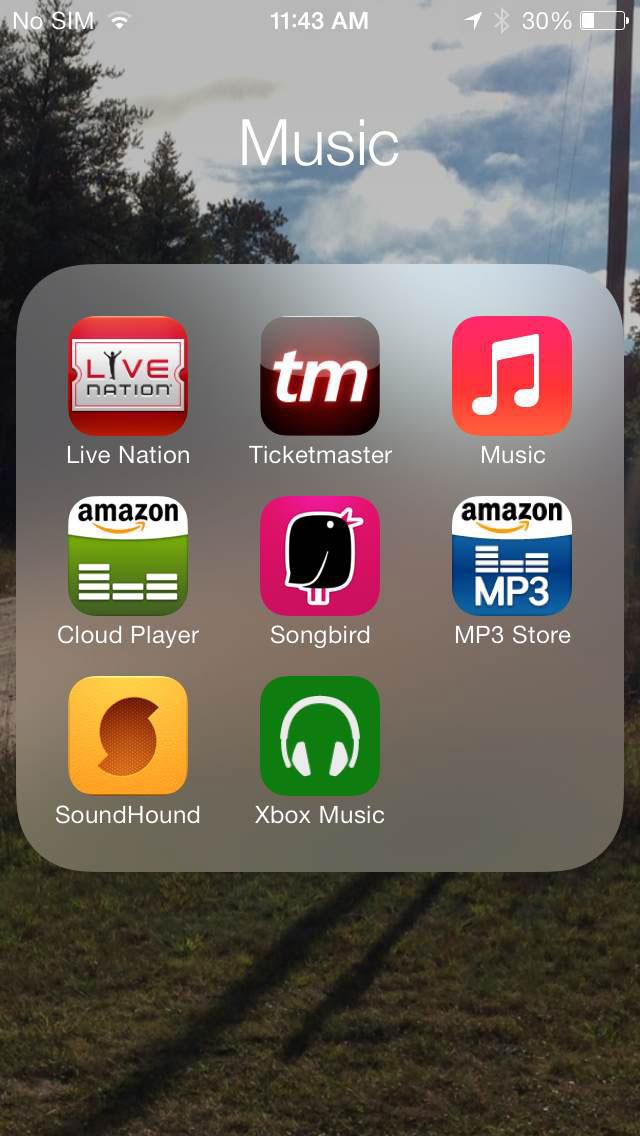
There’s no longer a limit on the number of apps you can put into a folder. You can use them to hide stock apps you don’t use, including the Newsstand.

How to close apps and multitask

Double tap the Home button to get a look at what you have on the go. See an app you want to close? Just swipe it up and the app will close.

How to save your data

You can go to Settings > Cellular and then scroll down to see which apps are going to potentially use your data. See something that you want to restrict to Wi-Fi? Just slide that toggle to the off position.

How to make the most of your battery


With iOS 7, those pesky apps can drink all your juice when you’re not looking. Head to Settings > General > Background App Refresh and you can stop them. You’ll see a list of apps that might be trying to do things in the background. Simply toggle off any that you don’t want to use.

How to make the screen background stop moving

Is the new parallax effect making you sick? Some people suffer from motion sickness and struggle to focus, but you can head into Settings > General > Accessibility and turn Reduce Motion on to ease up on the animations. You can also bold the text, make it bigger, or invert the colors in the Accessibility menu.

How to open a level for measuring how “level” surfaces are

Let’s get this straight.. Open the compass app and swipe to the left, and you’ve got a level that will help you get everything straight.

ios 7 siri bad


How to make the most of the new Siri

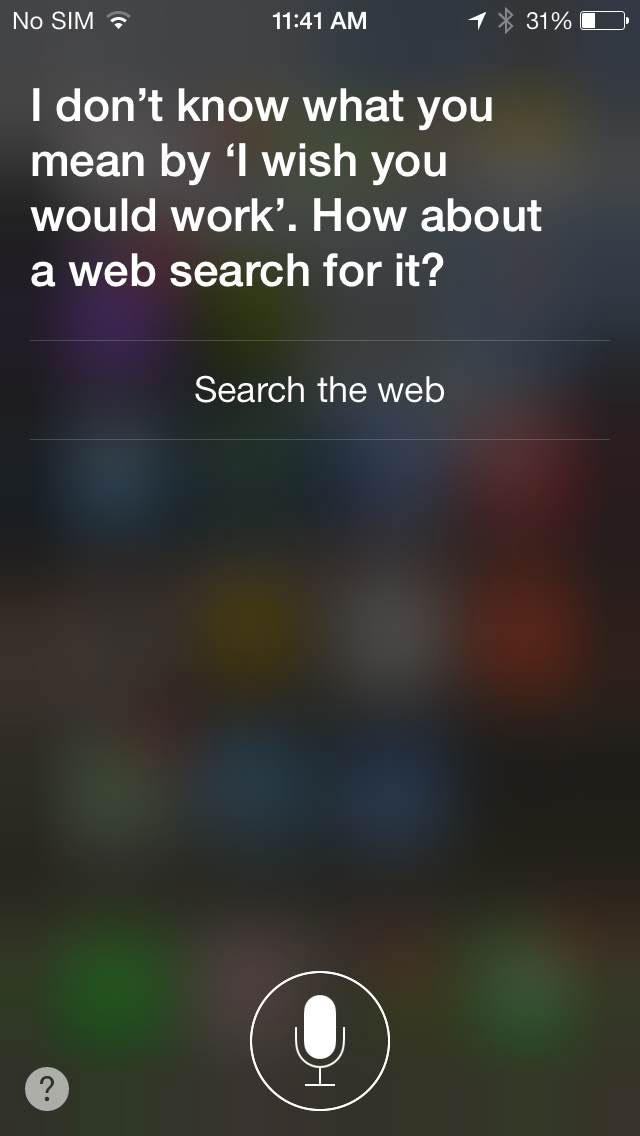
Head into Settings > General > Siri and you’ll find various settings that allow you to do things like change the gender of your assistant, or toggle on the ability to launch Siri by raising the iPhone to your face. If Siri says something the wrong way you can tell it “that’s not how you pronounce that” and you’ll get options to choose from.

How to block problem callers

No more crazy calls from the ex, or that persistent “friend” from school. Just go to Settings > Phone > Blocked and add them to your blacklist. You can also just block messages or FaceTime via Settings > Messages > Blocked and Settings > FaceTime > Blocked. You can also go into individual contacts and choose Block Contact at the bottom.

How to track (or stop tracking) your location

Go to Settings > Privacy > Location Services > System Services > Frequent Locations and you’ll find a list and a map showing your movements. You can clear this history or you can head to System Services and toggle Frequent Locations off.

There are new ringtones

You will find a load of new ringtones and vibration options in Settings > Sounds > Sounds and Vibration Patterns. If you want to create your own vibration pattern then select an alert type in Settings > Sounds and tap Vibration > Create New Vibration.

Type searches right into Safari

You can now type searches in the address bar in Safari and it will return results in real time (like Chrome), both from Google and from your own Bookmarks and History. If you head into Bookmarks and tap the “@” symbol you’ll find a handy list of links from your Twitter timeline. You can also head into Settings in Safari to change various things, such as your default search engine. You could also turn on Do Not Track for a little extra privacy while browsing.

How to close Safari tabs

Struggling to tap that tiny x? Don’t bother; when you’re scrolling through tabs in Safari you can just swipe them away to the left to close them. The limit has been increased too; you can now have up to 24 tabs open at once.

You can use Volume as a shutter button

You can use the Volume up button to take photos, and you can hold it down to take a burst of multiple shots. In the camera app, swipe left or right (up or down if you’re holding it in landscape) to change the mode.
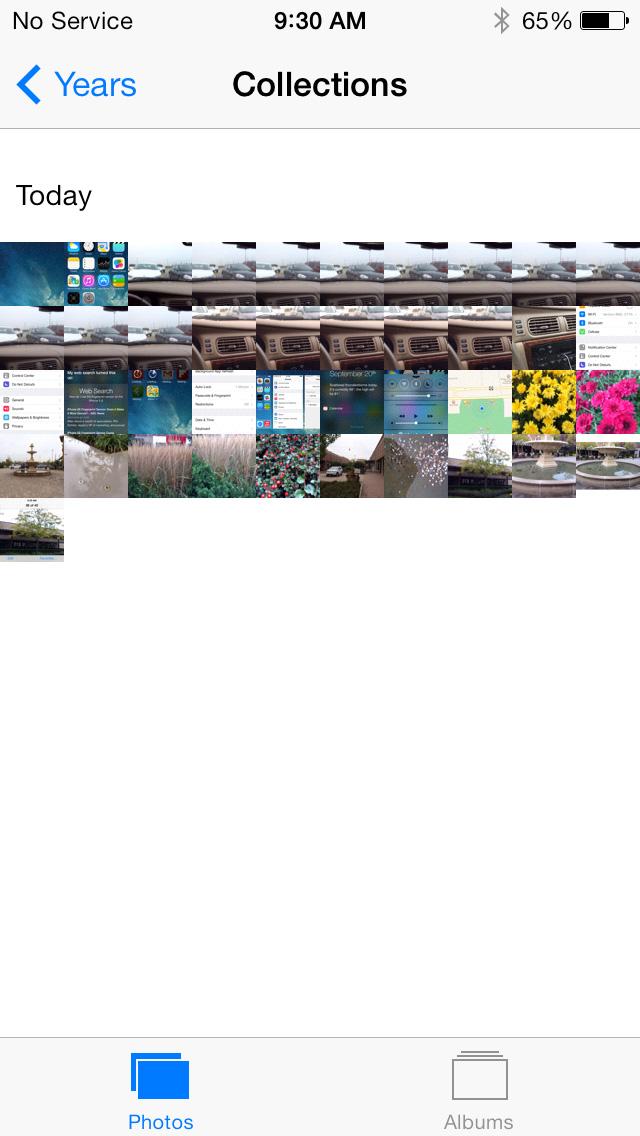
iPhone 5S screenshot photos collections


Photo gallery ‘moments’

Your photos and videos are organized into moments now. They’re grouped together by time and place. You can tap on the header of a moment to see a map and find the number of shots taken. There’s also an option to share at the right side. The thumbnails are tiny, but you can tap and hold to expand them and then just slide your finger around to see your other shots.

How to sort mail

In the Mail app, if you tap Edit when in your mailbox you can select from a range of filters including VIP, Flagged, Unread, and so on. To create a VIP list just tap on the person’s name you want to add and when the contact pops up choose Add to VIP. You can add photos or videos to emails by tapping and holding on the body of the email until options pop up and choosing Insert Photo or Video. You can also press and hold the New Message button to see a list of your recent drafts. Shake your device to get an Undo option.

How to find and use iTunes Radio

You’ll find iTunes Radio in the Music app. You can tap the plus symbol to add a new station and search by artist, genre, or song. To teach it what you like tap the star icon when a track is playing and you can tell it to Play More Like This, Never Play This Song, or Add to iTunes Wish List. You can share the stations you create by tapping the info button.

Sony confirms Android 4.2 update for Xperia Z, Xperia ZL, Xperia ZR and Tablet Z


Sony has confirmed that a new Android 4.2 firmware update for the Xperia Z, Xperia ZL, Xperia ZR and Xperia Tablet Z is on the way. This news comes from @SonyMobileNews, which is the Sony Mobile global PR team's official twitter handle.
The tweet said, "Confirming: new JB 4.2 firmware rolling (phased) for #XperiaZ, ZL, ZR & Tab Z - brings display, camera, battery fixes and performance tweaks." The tweet clearly points that the update to the Xperia devices which will be rolled out in a phased manner. However, there is no word about regions which will receive the update first.

sony-bank-aid-635.jpg

Some bug fixes expected to be implemented with the update on the Sony Xperia Z, Xperia ZL, Xperia ZR and Xperia Tablet Z will be the display, camera, battery fixes and performance tweaks, noted the tweet. Another addition to the four Xperia devices with the latest firmware update will be the ability to hold the home button to bring users to Google Now.
The update will be keeping the Sony Xperia Z, Xperia ZL, Xperia ZR and Xperia Tablet Z on Android 4.2 Jelly Bean, which means that users hoping for the upgrade to Android 4.3 will be disappointed, as Google rolled out Android 4.3 Jelly Bean, recently.
Lately, Sony has been on a spree when it comes to rolling out updates for some recently, and not so recently, launched Xperia smartphones.
Not too long ago, Sony rolled out a firmware update for its flagship Sony Xperia Z Ultra phablet. The new update added a number of features; however it still kept the device on Android 4.2 Jelly Bean.
Sony already rolled out firmware updates for the Xperia S, Xperia SL, Xperia Acro S and Xperia SP.